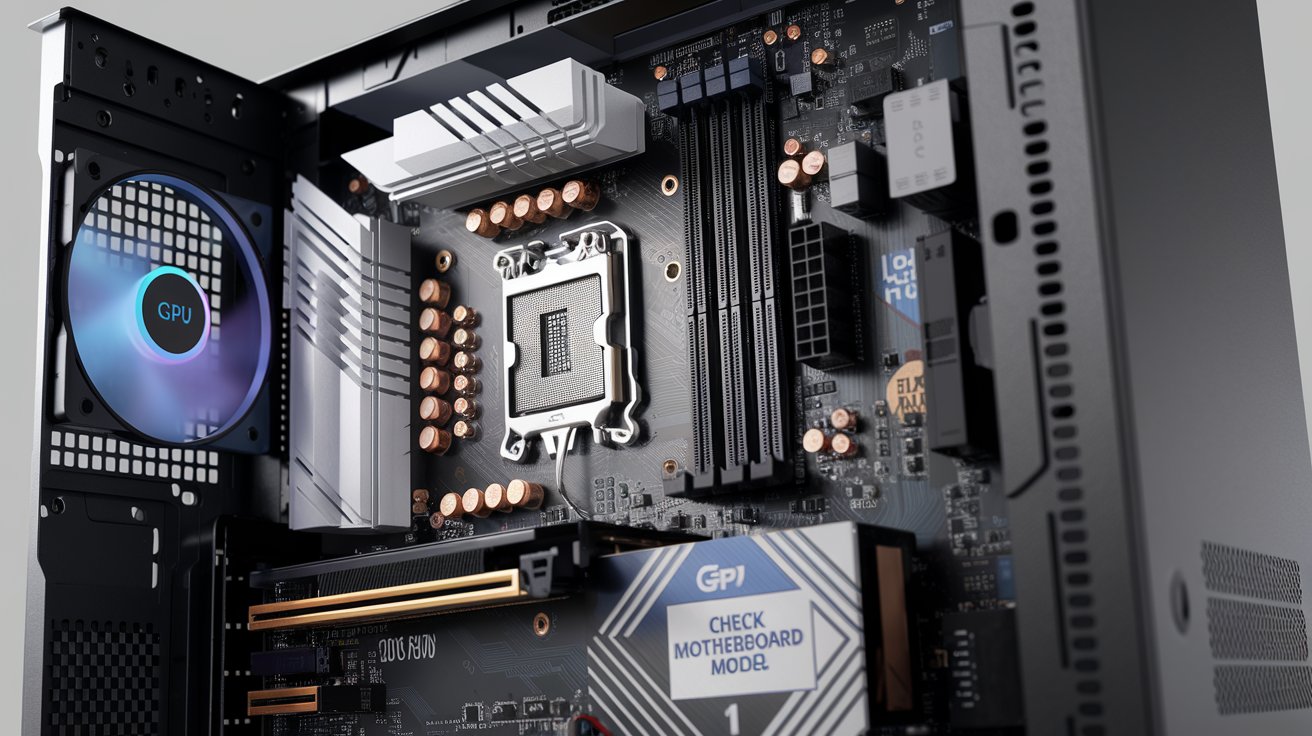
A motherboard serves as the central communication hub that connects all computer components together, allowing them to work as a unified system. This printed circuit board manages data transfer between the CPU, memory, storage drives, and peripheral devices while providing power distribution and system coordination. Understanding what a motherboard does is essential for anyone building, upgrading, or troubleshooting computers in 2026, as this component directly impacts your system’s performance, compatibility, and expandability options.
What Is the Main Purpose of a Motherboard
The primary purpose of a motherboard is to act as the central nervous system of your computer, creating pathways for communication between all hardware components. Modern motherboards in 2026 use advanced PCIe 5.0 and DDR5 technologies to facilitate data transfers at speeds exceeding 128 GB/s. Without this critical component, your CPU, RAM, graphics card, and storage devices would have no way to share information or coordinate operations.
The motherboard also provides electrical power distribution to various components through voltage regulator modules (VRMs) that convert power supply output into appropriate voltages. In 2026, high-end motherboards feature 16-phase or higher power delivery systems that ensure stable operation even under demanding workloads. Additionally, the motherboard contains the BIOS or UEFI firmware that initializes hardware during startup and provides the interface between your operating system and physical components.
How Does the Motherboard Work in a Computer System
A motherboard functions through an intricate network of circuits, buses, and chipsets that coordinate billions of operations per second. The chipset, typically consisting of a Platform Controller Hub (PCH) in Intel systems or equivalent in AMD designs, manages communication between the CPU and peripheral components. Modern 2026 chipsets like Intel’s 800-series or AMD’s X870E handle USB 4.0, Thunderbolt 5, and Wi-Fi 7 connectivity while supporting up to 24 PCIe 5.0 lanes for maximum expansion capability.
The motherboard’s system bus architecture determines how quickly data moves between components. The Front Side Bus (FSB) or its modern equivalents like Direct Media Interface (DMI) connect the CPU to memory and other critical subsystems. In 2026, cutting-edge motherboards support memory speeds up to DDR5-8000 MHz, enabling data transfer rates that were impossible just five years ago. The board’s traces and layers—often 8 to 12 layers in high-end models—create the physical pathways that carry electrical signals with minimal latency and interference.
Essential Motherboard Components and Their Functions
Understanding motherboard components helps you appreciate how this central board orchestrates your entire system’s operation effectively.
CPU Socket and Power Delivery System
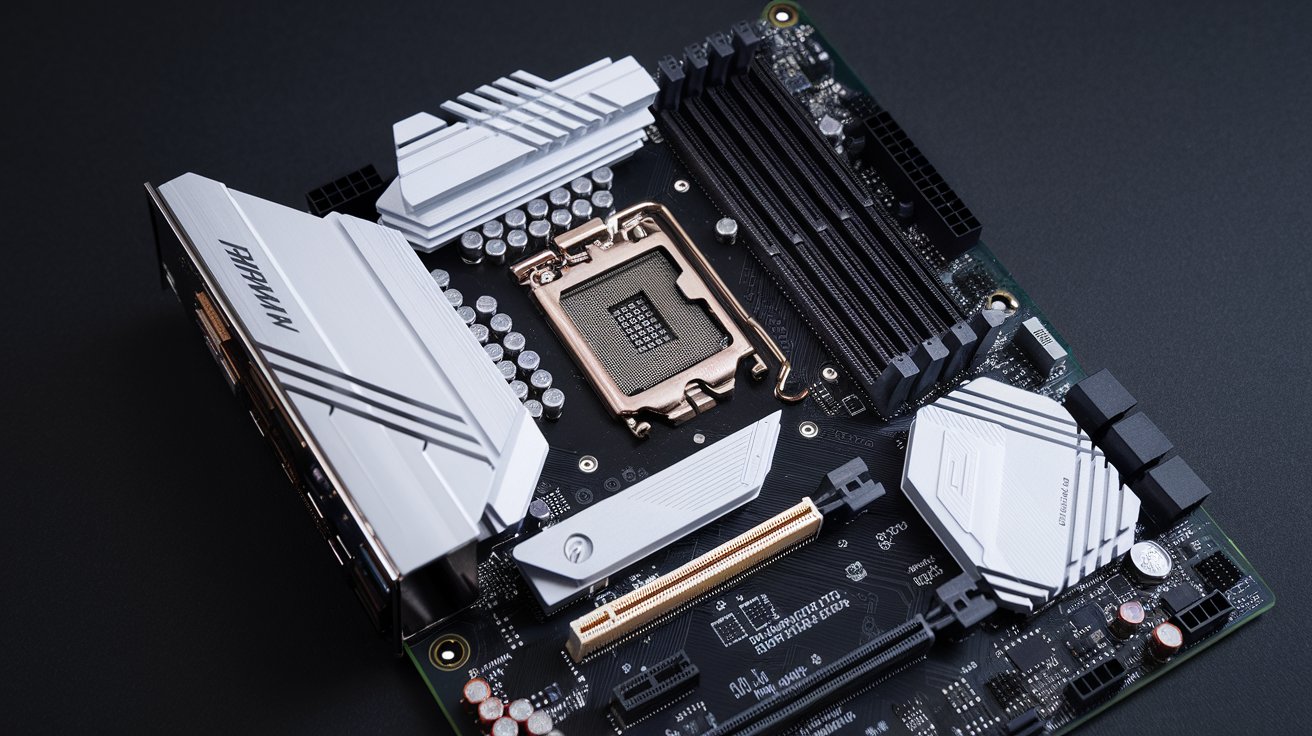
The CPU socket provides the physical and electrical connection for your processor, with 2026 designs like Intel’s LGA 1851 and AMD’s AM5 featuring thousands of contact points for data and power delivery. Modern sockets incorporate integrated heat spreaders and retention mechanisms that ensure proper thermal contact and prevent damage during installation. The surrounding VRM components, typically featuring high-quality capacitors and MOSFETs, deliver clean, stable power to support processors drawing 250 watts or more under full load.
Memory Slots and Storage Connectors
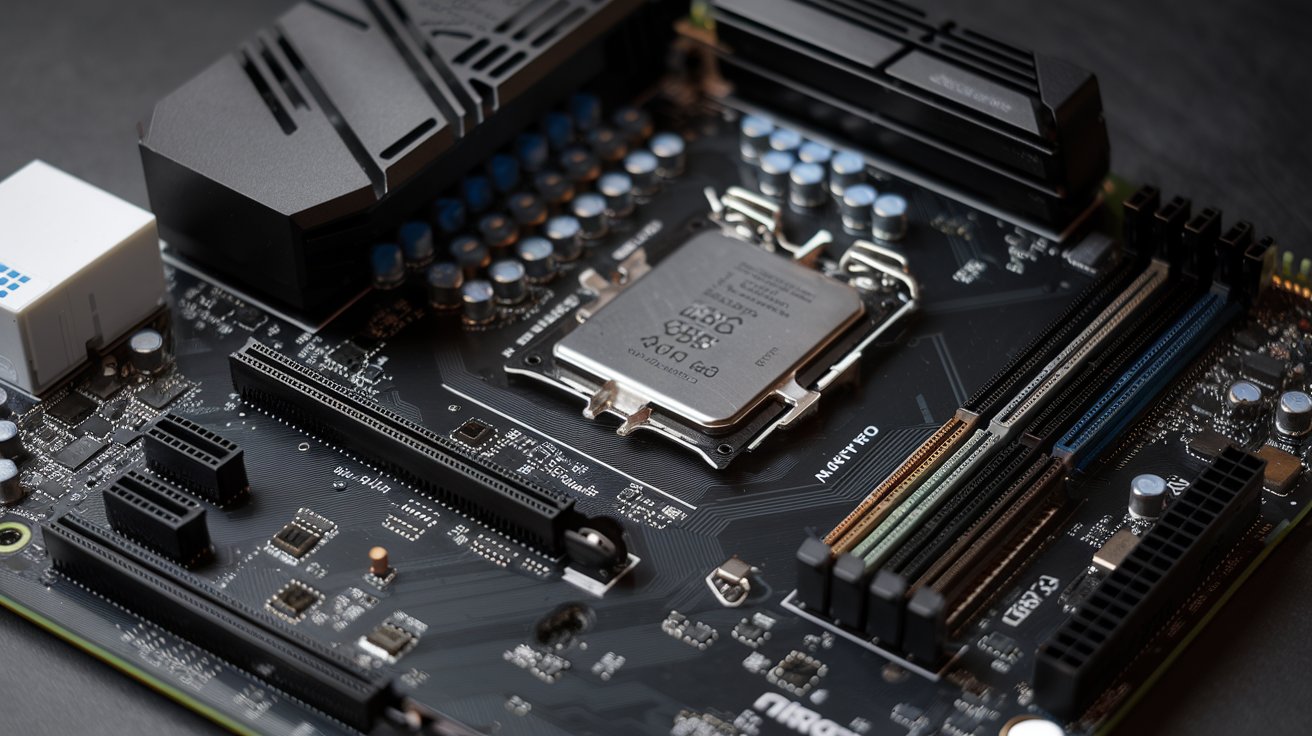
Contemporary motherboards feature DIMM slots supporting DDR5 memory with capacities reaching 256GB across four channels on HEDT platforms. The 2026 standard includes on-die ECC (error correction code) for improved data integrity and lower voltage requirements of 1.1V compared to DDR4’s 1.2V. Storage connectivity has evolved with multiple M.2 slots supporting PCIe 5.0 x4 interfaces capable of 14,000 MB/s sequential read speeds, while SATA III ports remain available for legacy drives and cost-effective expansion.
Expansion Slots and I/O Ports
Expansion capabilities through PCIe slots enable graphics cards, network adapters, and storage controllers to enhance system functionality beyond the integrated features. The typical 2026 motherboard includes at least one PCIe 5.0 x16 slot for graphics cards, several PCIe 4.0 x4 slots for NVMe drives, and PCIe 3.0 x1 slots for accessories. Rear I/O panels now commonly feature USB 4.0 ports with 40 Gbps throughput, 2.5 Gigabit Ethernet or faster, HDMI 2.1 or DisplayPort 2.1 outputs, and high-fidelity audio jacks with 120+ dB signal-to-noise ratios.
What Does a Motherboard Look Like and How to Identify It
A motherboard appears as a large rectangular printed circuit board measuring 12 x 9.6 inches for standard ATX form factor, though variations include Micro-ATX (9.6 x 9.6 inches) and Mini-ITX (6.7 x 6.7 inches) for compact builds. The board surface displays multiple colored layers visible through the soldermask, typically green, black, or white, with clearly labeled sections for different components. You’ll observe the prominent CPU socket near the center-top, surrounded by VRM heatsinks, with RAM slots positioned to the right and expansion slots running horizontally across the lower portion.
Identifying specific motherboard models requires examining the printed designations near major components or checking the silkscreen text along the edges. In 2026, most manufacturers include QR codes near the I/O shield area that link to digital manuals and specifications when scanned. The chipset heatsink often displays the manufacturer’s logo, while the model number typically appears between the PCIe slots. Physical inspection reveals mounting holes, standoff positions, and connector placements that vary by form factor and manufacturer design philosophy.
Can a PC Work Without a Motherboard
Absolutely not—a PC cannot function without a motherboard because this component provides the fundamental infrastructure that allows all other parts to communicate and operate. While specialized embedded systems might integrate motherboard functions into a single system-on-chip (SoC) design, traditional desktop and laptop computers require a discrete motherboard to coordinate operations. The motherboard’s absence eliminates the physical connections, power distribution, and data pathways necessary for even basic computing tasks.
Some users confuse minimal boot configurations with motherboard-less operation, but even the simplest functional computer requires this central board. A system can technically POST (Power-On Self-Test) with only the motherboard, CPU, and RAM installed, demonstrating that the motherboard itself is irreplaceable. Alternative computing platforms like smartphones and tablets use highly integrated motherboards that occupy minimal space but still perform identical fundamental functions of component interconnection and system coordination.
Is It Worth Replacing a Motherboard on a Computer
Deciding whether to replace a motherboard depends on multiple factors including the age of your system, available upgrade paths, and cost considerations. In 2026, motherboard replacement makes sense when your current board limits CPU upgrades, lacks modern connectivity like USB 4.0 or PCIe 5.0, or has failed due to hardware defects. A quality motherboard replacement ranges from $150 for basic models to $700+ for high-end enthusiast boards, representing a significant but often worthwhile investment when paired with other component upgrades.
The value proposition improves when motherboard replacement enables substantial performance gains through supporting newer generation processors and faster memory standards. For example, upgrading from a DDR4 platform to DDR5 can improve memory bandwidth by 50% or more, directly benefiting content creation, scientific computing, and gaming performance. However, if your entire system is more than five years old, building a completely new computer often provides better value than incremental motherboard upgrades, as you’ll avoid compatibility issues and benefit from advances in power efficiency that reduce long-term operating costs.
What Will a Bad Motherboard Do to Your Computer
A failing motherboard produces various symptoms that range from subtle intermittent issues to complete system failure. Common indicators include random system crashes, failure to POST, USB ports that stop working, irregular boot sequences, and blue screen errors with hardware-related stop codes. In 2026, diagnostic tools built into UEFI firmware can identify specific failing components like malfunctioning voltage regulators, damaged PCIe lanes, or corrupted BIOS chips before complete failure occurs.
Physical damage to a motherboard manifests through burnt components, swollen capacitors, or visible circuit trace damage on the board surface. Electrical issues might cause peripherals to disconnect randomly, memory errors despite functional RAM modules, or power delivery problems where the system shuts down under load. Capacitor degradation, particularly common in systems running 24/7 for multiple years, leads to unstable voltages that can damage other components like your CPU or graphics card. Regular visual inspections and monitoring software that tracks voltages, temperatures, and system stability help identify motherboard problems before they escalate into catastrophic failures requiring emergency replacements.
Why Is the Motherboard Important for System Performance
The motherboard’s importance extends beyond simple connectivity—it directly influences overall system performance through bandwidth limitations, latency characteristics, and power delivery quality. A premium motherboard with superior VRM design enables higher and more stable CPU overclocks, potentially increasing performance by 10-20% compared to budget alternatives with minimal power phases. The PCB quality, measured in layer count and trace design, affects signal integrity at high frequencies, which becomes critical when running memory at DDR5-7200 speeds or utilizing multiple PCIe 5.0 devices simultaneously.
Network and storage performance also depend heavily on motherboard specifications and implementation quality. In 2026, integrated 10 Gigabit Ethernet controllers and Wi-Fi 7 modules provide networking speeds that were previously available only through expensive expansion cards. Storage configurations benefit from well-designed M.2 cooling solutions that prevent thermal throttling during sustained workloads, maintaining the full 14,000 MB/s speeds that PCIe 5.0 SSDs can deliver. The motherboard’s audio codec, power filtering, and physical component layout determine whether you experience clean sound reproduction or electrical interference during recording and playback tasks.
Is the Motherboard the Brain of the Computer
While often called the brain, the motherboard more accurately functions as the nervous system that connects the true brain—the CPU—to all other body parts of your computer system. This distinction matters because the CPU performs calculations and executes instructions, while the motherboard facilitates communication between components. The analogy better describes the motherboard as the spinal cord and peripheral nervous system, routing signals between the brain (CPU) and organs (RAM, storage, peripherals) while maintaining vital functions through chipset management and firmware control.
The motherboard’s BIOS or UEFI firmware does perform primitive cognitive functions during startup by identifying hardware, initializing components in proper sequence, and loading the operating system. Modern UEFI implementations in 2026 include sophisticated features like automatic overclocking profiles, network-based recovery systems, and hardware monitoring that approaches autonomous decision-making. However, these functions remain supervisory rather than computational, supporting rather than replacing the CPU’s role as the system’s primary processing unit and decision-making center.
What Does a Motherboard Do in a Phone Compared to PCs
Smartphone motherboards, technically called logic boards or system boards, integrate far more functionality into smaller spaces than their PC counterparts through system-on-chip (SoC) design. A typical 2026 flagship phone motherboard measures only 2-3 square inches yet incorporates the CPU, GPU, RAM, storage, modem, Wi-Fi chip, and power management integrated circuit directly onto the board. This integration contrasts sharply with modular PC motherboards where most major components connect via sockets and slots, allowing user upgrades and replacements.
Despite size differences, phone motherboards perform identical core functions of component interconnection and power distribution while adding mobile-specific features like battery charging circuits, cellular antenna connections, and sensor hubs for accelerometers, gyroscopes, and proximity detectors. The compact design requires multilayer PCBs with 10+ layers and component placement on both sides of the board to maximize space efficiency. Phone motherboards prioritize power efficiency and thermal management differently than PC boards, using more aggressive throttling and smaller power delivery components optimized for sustained moderate loads rather than brief high-power bursts typical in desktop computing.
Choosing the Right Motherboard for Your Needs in 2026
Selecting an appropriate motherboard requires matching specifications to your intended use case and budget constraints while ensuring compatibility with existing or planned components. Gaming systems benefit from motherboards with robust VRM designs supporting 125W+ CPUs, multiple M.2 slots for fast storage, and PCIe 5.0 x16 slots for current and future graphics cards. Content creators should prioritize boards with Thunderbolt 4 or USB4 connectivity, plentiful USB ports for peripherals, and support for 64GB+ RAM configurations to handle video editing and 3D rendering workloads efficiently.
Form factor selection impacts case compatibility and expansion capabilities significantly in modern builds. Standard ATX motherboards offer maximum expansion with 4-5 PCIe slots and 6-8 SATA ports, ideal for multi-GPU setups or extensive storage arrays. Micro-ATX provides a middle ground with reduced expansion but maintains compatibility with standard ATX cases. Mini-ITX boards sacrifice expansion for compact builds measuring under 20 liters, perfect for home theater PCs or portable gaming systems. When budgeting, allocate 15-20% of your total build cost to the motherboard for mainstream systems, or up to 25% for enthusiast builds where premium features like 10GbE networking, Wi-Fi 7, and advanced overclocking capabilities justify higher prices ranging from $400-700 in the United States market.
Related video about what does a motherboard do
This video complements the article information with a practical visual demonstration.
What you should know
What is the main purpose of a motherboard?
The main purpose of a motherboard is to serve as the central communication hub that connects all computer components including the CPU, memory, storage, and peripheral devices. It provides physical mounting points, electrical connections, and data pathways that allow these components to work together as a unified system. The motherboard also distributes power from the power supply to various components and contains the BIOS/UEFI firmware that initializes hardware during startup. Without a motherboard, individual computer components would have no way to communicate or coordinate their operations.
Can a PC work without a motherboard?
No, a PC absolutely cannot work without a motherboard because this component provides the essential infrastructure for all other parts to communicate and function. The motherboard creates the physical connections, power distribution pathways, and data buses necessary for even the most basic computing operations. While some embedded systems integrate motherboard functions into system-on-chip designs, traditional desktop and laptop computers require a discrete motherboard. Even minimal boot configurations that only POST require a motherboard along with CPU and RAM, demonstrating that this component is fundamentally irreplaceable in conventional computer architectures.
Is it worth replacing a motherboard on a computer?
Replacing a motherboard is worth considering when your current board limits important upgrades, lacks modern connectivity features, or has failed completely. In 2026, motherboard replacement makes financial sense if you want to upgrade to a newer CPU generation, add DDR5 memory support, or gain PCIe 5.0 and USB 4.0 connectivity without building an entirely new system. Quality replacements cost $150-700 depending on features, representing a reasonable investment when enabling substantial performance improvements. However, if your entire system exceeds five years old, building a completely new computer often provides better overall value than incremental motherboard upgrades due to advances in power efficiency and avoiding potential compatibility issues.
What will a bad motherboard do?
A bad motherboard produces symptoms ranging from intermittent issues to complete system failure. Common problems include random crashes, failure to boot, non-functional USB ports, irregular startup sequences, and blue screen errors with hardware-related codes. Physical signs of motherboard failure include burnt components, swollen capacitors, or visible circuit damage on the board surface. Electrical issues manifest as peripheral disconnections, memory errors with good RAM, or power delivery problems causing shutdowns under load. Degraded capacitors in aging systems create unstable voltages that can damage other components like CPUs and graphics cards, making early detection through visual inspection and monitoring software crucial for preventing cascading hardware failures.
Is the motherboard the brain of the computer?
The motherboard is not the brain of the computer—that role belongs to the CPU. The motherboard functions more accurately as the nervous system that connects the brain (CPU) to all other components. It routes signals between the processor and peripherals while maintaining system coordination through chipset management. The motherboard’s BIOS/UEFI firmware does perform supervisory functions during startup like identifying hardware and loading the operating system, but these remain supportive rather than computational. The CPU executes instructions and performs calculations, while the motherboard provides the communication infrastructure that makes coordinated system operation possible.
Why is the motherboard important for computer performance?
The motherboard is crucial for performance because it directly influences system capabilities through bandwidth limitations, power delivery quality, and connectivity features. Premium motherboards with superior VRM designs enable higher CPU overclocks and more stable performance under sustained loads. PCB quality affects signal integrity when running high-speed memory or multiple PCIe 5.0 devices simultaneously. In 2026, integrated 10GbE networking, Wi-Fi 7 support, and well-designed M.2 cooling solutions on quality motherboards eliminate performance bottlenecks that budget alternatives create. The motherboard determines maximum RAM capacity, storage expansion options, and peripheral connectivity, making it a foundational component that either enables or limits your entire system’s potential performance regardless of other component quality.
| Key Aspect | Important Details | Benefit |
|---|---|---|
| Component Communication | Connects CPU, RAM, storage, and peripherals via PCIe 5.0 and DDR5 interfaces | Enables coordinated system operation at speeds up to 128 GB/s |
| Power Distribution | 16-phase or higher VRM systems deliver stable power to all components | Supports CPU overclocking and prevents system instability |
| Expansion Capability | Multiple PCIe slots and M.2 connectors for graphics cards and storage | Allows system upgrades without complete replacement |
| Modern Connectivity | USB 4.0, Thunderbolt 5, Wi-Fi 7, and 10GbE Ethernet in 2026 models | Eliminates need for additional expansion cards |
| Form Factor Options | ATX, Micro-ATX, and Mini-ITX sizes accommodate different case types | Flexibility for builds ranging from compact to full tower systems |
| System Management | UEFI firmware initializes hardware and provides configuration interface | Controls boot sequence, overclocking, and hardware monitoring |